How Paredra works, on every device.
One memory, five doors into it. This walkthrough shows what each app does and the screens where it happens.
Paredra Sync for Mac. Where meetings are captured.
The Mac app lives in your menu bar and records meetings straight from the apps themselves. No bot joins the call, and it can capture two meetings at once. Transcription happens on your Mac; the audio never leaves it. Screens are shown in the appearance the app follows: yours.
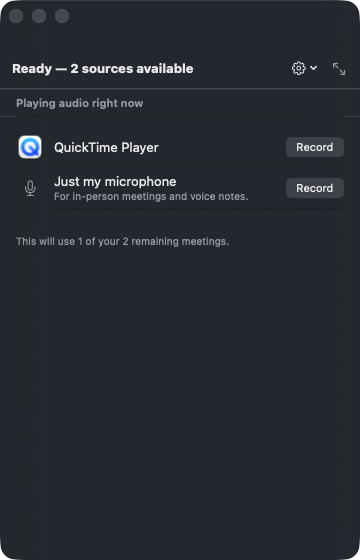
Open the deck from your menu bar.
Paredra Sync sits quietly beside your clock. Click it and the deck shows every app currently playing audio, plus your microphone for in-person meetings. Each one is a single click from being captured.
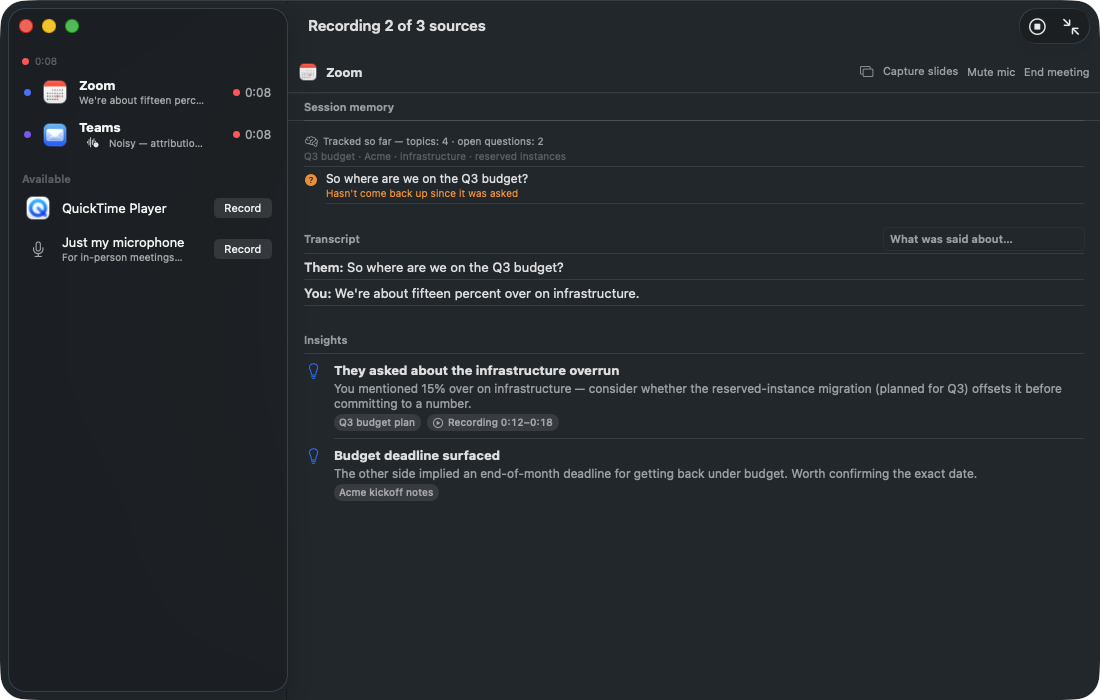
Record two meetings at the same time.
Double-booked at 2pm? Record the Zoom and the Teams call simultaneously. Each gets its own live transcript, and the second chair reads the room as people speak, surfacing what your knowledge already knows about the topic on the table.
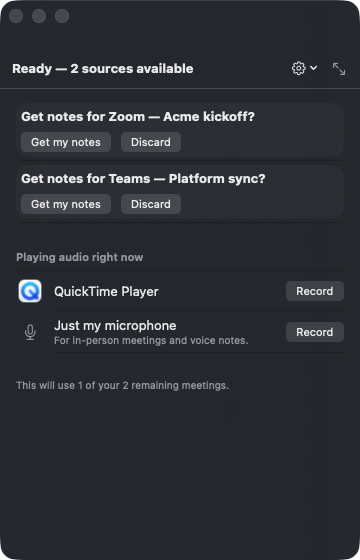
End the meeting, get the notes.
When a call ends, the deck offers the notes: TL;DR, action items, and topics, filed to the right project. Accept them and they join your knowledge; discard and nothing is kept.
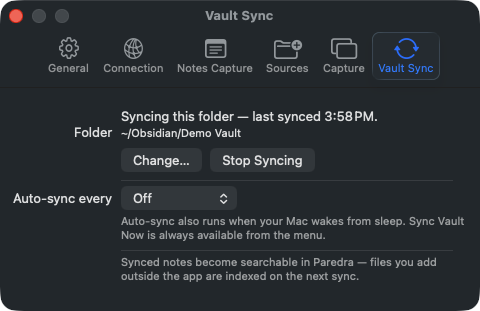
Sync your vault, keep your files.
Everything Paredra writes can land in a folder you own: plain Markdown, readable by any app, including an Obsidian vault. The intelligence runs on top of files that stay yours.
Paredra for iPhone. Your memory, in your pocket.
The iPhone app is where you capture on the go and ask on the go. Meetings, quick notes, photos, and a conversation with everything you know.
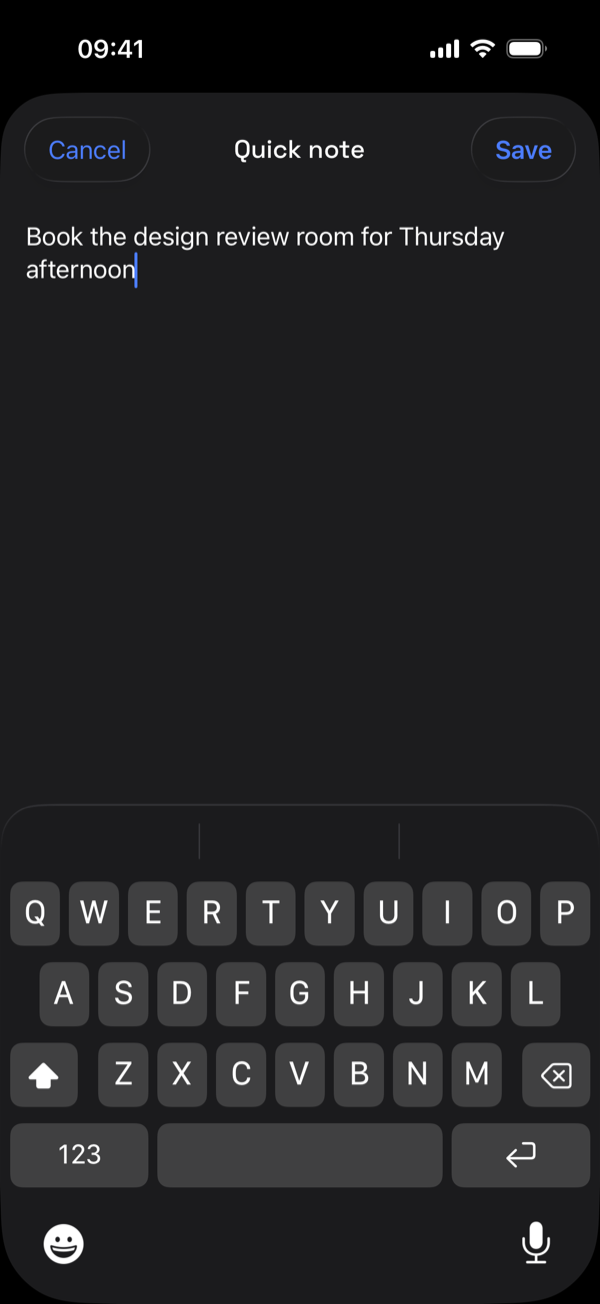
Capture a thought before it escapes.
Type a quick note anywhere and hit Save. Paredra files it into the same memory your meetings feed, and the graph picks it up from there.
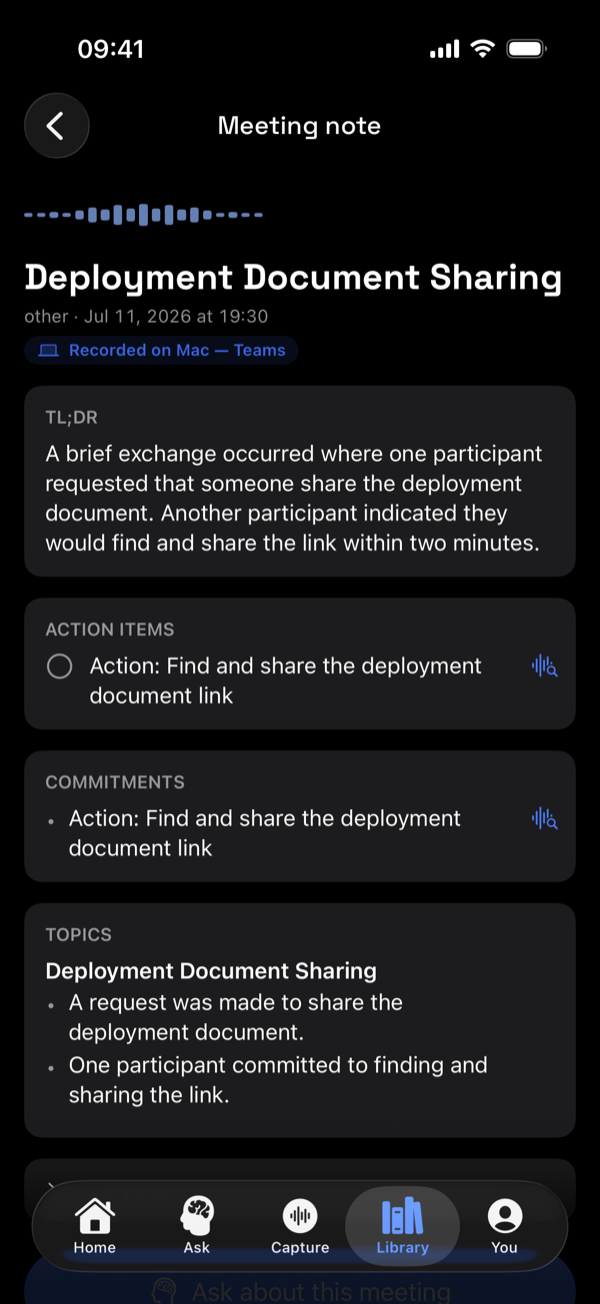
Every meeting becomes a structured note.
Open any capture and it is already organized: a TL;DR, the action items, the commitments people made, and the topics discussed, with the source recording attached.
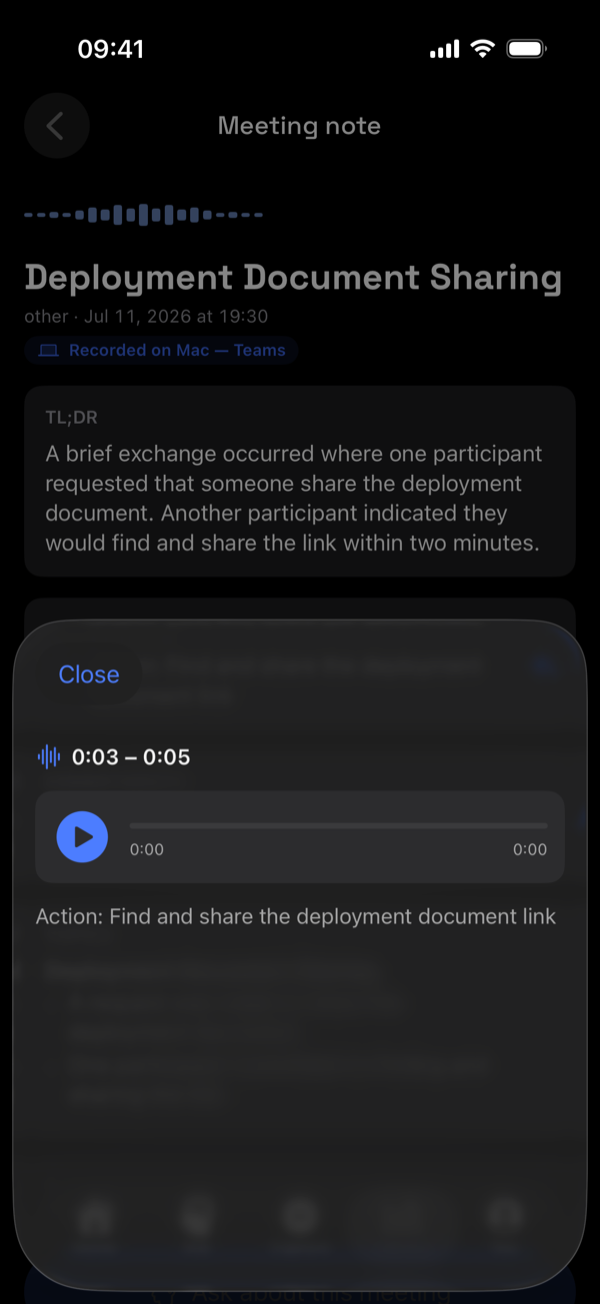
Replay the exact moment it was said.
Tap the waveform next to any action item and hear the seconds of audio it came from. Not a paraphrase. The actual voice, at the actual moment.
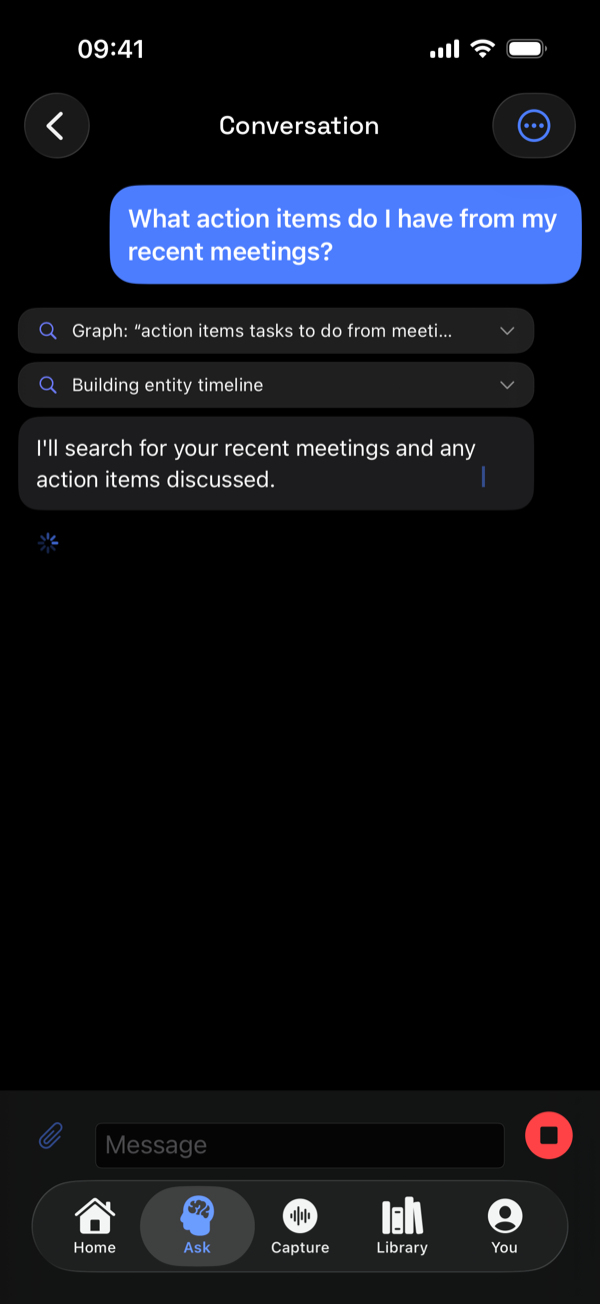
Ask, and watch it work.
Ask a question and Paredra searches your meetings and notes live, showing each source it consults while the answer streams in.
Paredra Sync for Windows. Quiet capture from the system tray.
On Windows, Paredra Sync lives in the notification area: a vault that syncs, a quick-capture window one hotkey away, and notes that flow into your knowledge automatically.
Find it in your tray.
The waveform icon sits next to your clock, always on and never in the way. It follows your system theme, light or dark.

Sign in once; the PC joins your memory.
Click the icon and the flyout shows exactly what is on and what is not. Signed in, your vault folder syncs and watched folders flow in, with the last sync time always visible.
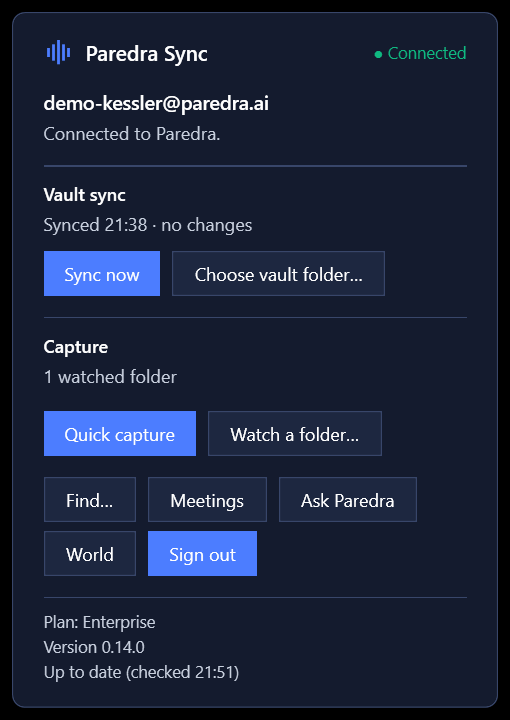
Capture the thought before it slips.
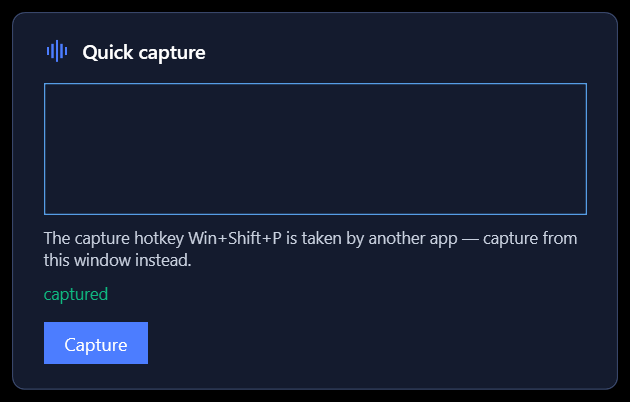
Press the quick-capture hotkey or choose Quick capture from the tray. Type the thought, hit Enter, and it is in your library. The “captured” confirmation appears once the note has reached your account.
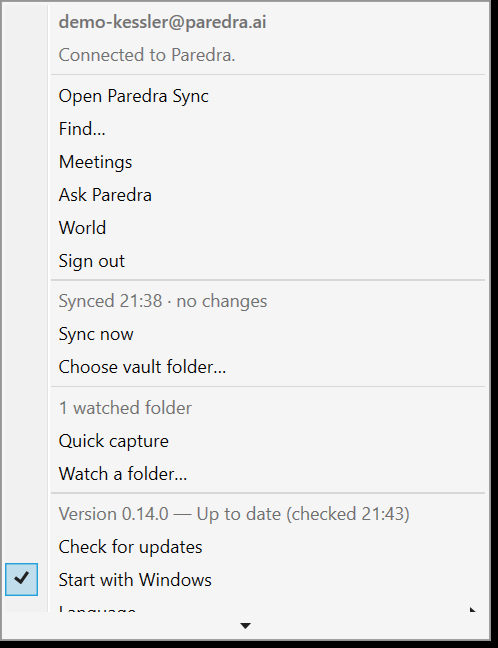
Everything, one right-click away.
Sync now, choose your vault folder, watch a folder, check for updates, start with Windows. The whole agent is controllable from the tray menu.
Paredra on the web. The whole memory, in a browser.
app.paredra.ai is the full workbench: home with your latest meeting notes, one search across every document and meeting, the knowledge map drawn from your own data, and your account. Any computer, nothing to install, in all five languages.
The web app is being redressed in the design this proposal introduces, so its screens are not pictured here yet. Sign in and it is the same memory the apps on this page feed.
Paredra for Android. The same memory, native on your phone.
Capture meetings and quick notes, browse your library, ask with citations, and hear the moment behind any commitment. One account, the same graph, drawn in Material on Android.
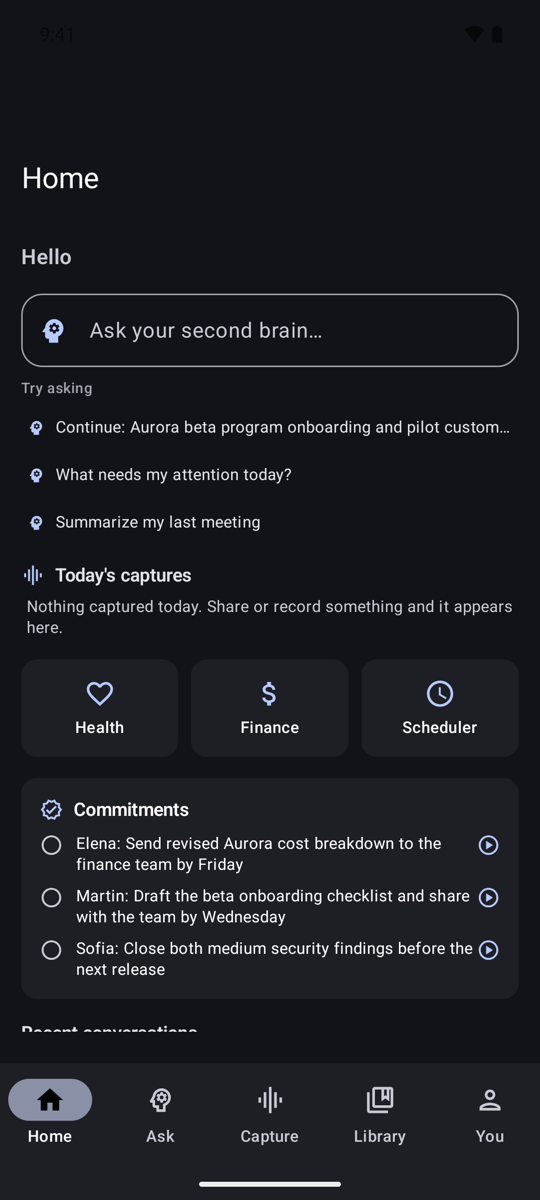
Your day on one screen, with commitments you can hear.
Home greets you with the ask box, your life tiles, and the commitment ledger. Every entry in the ledger carries a play control: tap it and hear the seconds where the promise was made.
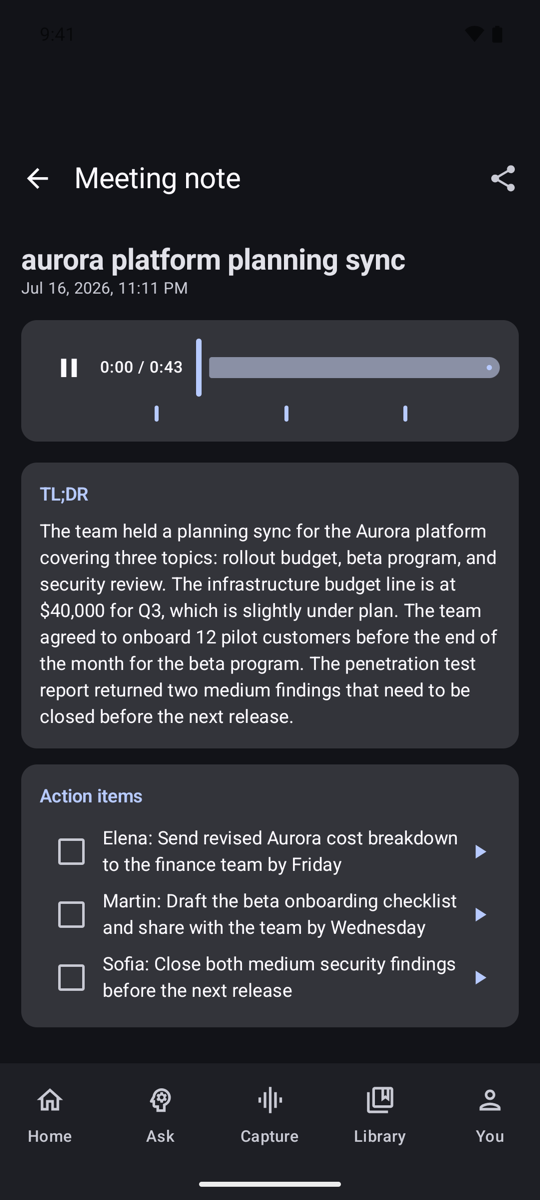
Every meeting becomes a structured note.
Open any capture and it is already organized: the TL;DR, the action items, and the recording with a chapter tick at each insight, so you can jump straight to the part that matters.
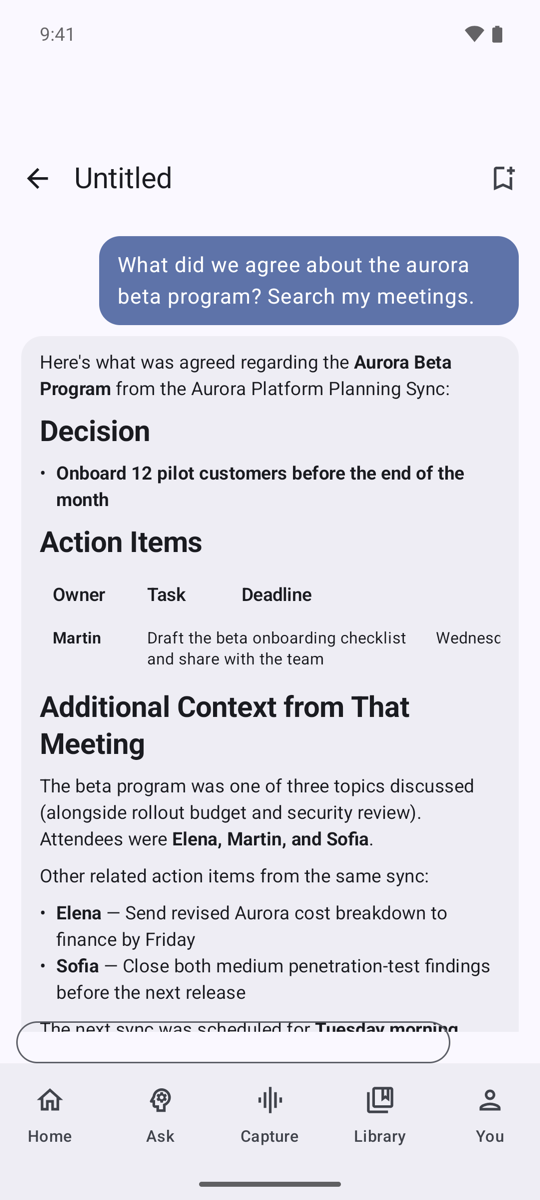
Ask, and get an answer with structure.
Ask a question and Paredra searches your meetings and notes, then answers with the decision, the action items, and the context, grounded in your own recordings.
Put Paredra beside you.
Start on the web in a minute, add the Mac and iPhone apps when you are ready.
Try Paredra free